Flagship system
S POS
Retail POS · Multi-Platform · Offline-First
A complete, multi-currency retail point-of-sale and back-office platform — one Django engine, three ways to run a store: a hosted SaaS website, a self-contained Windows desktop exe that serves the whole shop over Wi-Fi, and a mobile app that can run the entire store on a phone, fully offline.
- 12
- Technologies
- 3
- Domains
- 8
- Capabilities
- 1
- Public links
Who it's for
Retail shops of any size — from a market stall running everything on one phone to a multi-store, multi-company operation with registers, purchasing and accounting.
Where it fits
As a hosted SaaS, as a self-contained Windows exe serving every till on the shop Wi-Fi, or entirely on a phone with no server — the same store, identically, in all three.
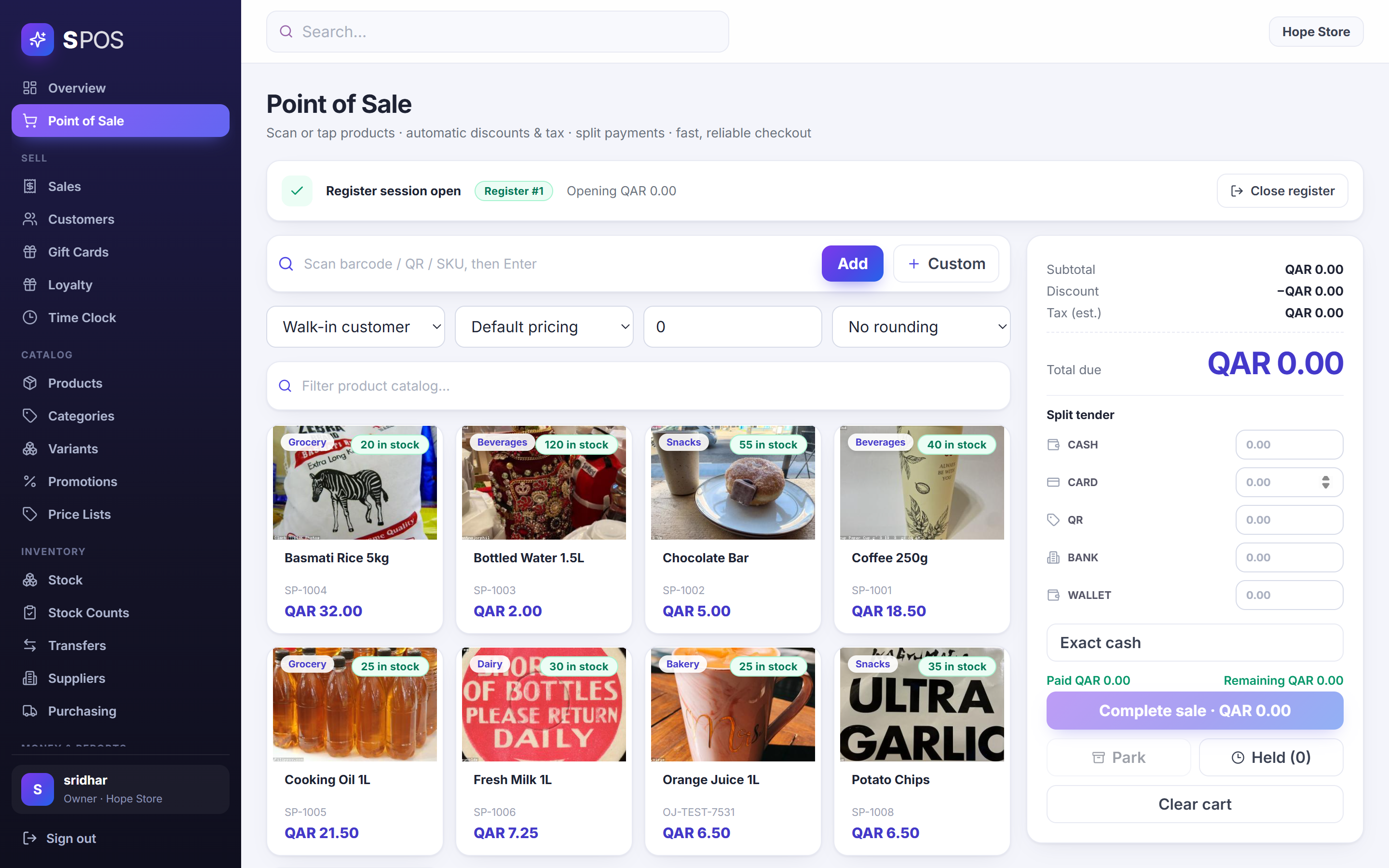
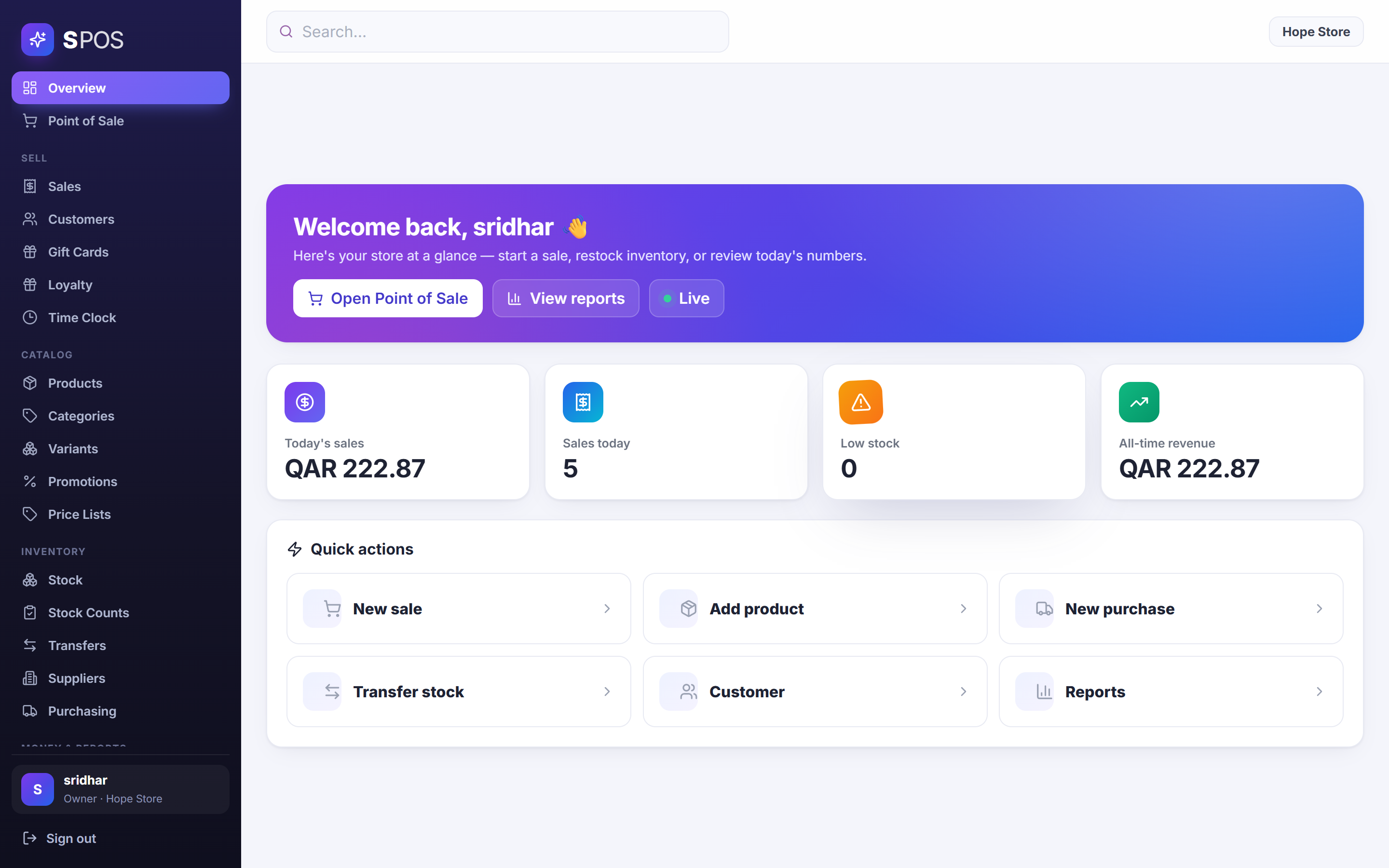
Screenshots
The hard part
The problem
Point-of-sale software assumes a shape: either a cloud SaaS that dies with the internet connection, or a legacy desktop till that can't do e-commerce-grade back-office. A small shop shouldn't have to choose between 'works offline' and 'real inventory, accounting and multi-store' — and it shouldn't need an IT department to install either.
Key constraints
One codebase had to run as a hosted multi-store SaaS, as a single Windows exe a shop owner double-clicks (SQLite inside, nothing else to install, other tills joining over Wi-Fi), and as a phone app that can be the entire store with zero servers. And because this is money, the totals had to be exactly right in every mode — the same rounding, tax and discount rules everywhere, with no way for a buggy or malicious client to record a wrong sale.
Architecture overview
A Django 5.2 + DRF backend exposes one /api/v1 contract — JWT auth, idempotent writes — covering POS, catalogue, inventory, customers, loyalty, finance, registers and reports. Three clients speak it identically: a React 19 back-office SPA, an Expo/React Native mobile app, and a WebView2 window inside SPOS.exe, where PyInstaller bundles the same backend with SQLite and a waitress server so one PC serves every tablet, phone and second till on the shop Wi-Fi. The mobile app can also swap the remote API for a full on-phone store engine, and the hosted mode runs the Docker stack — Postgres, Redis, Celery — behind Nginx/TLS.
Patient record at the centre · real-time spokes
events pushed over WebSockets
How it works
What's actually in it.
- 01Atomic checkout orchestration: payment validation before any inventory mutation, row-locked stock updates in the same database transaction as sale creation, per-item COGS capture and double-entry ledger posting — one journal debit per captured tender in split payments.
- 02Idempotent checkout at both HTTP and business-transaction levels; invoice numbers issued from a locked per-store sequence; failed checkouts persist a FAILED transaction record instead of vanishing.
- 03Full register lifecycle: open with float, paid-in/paid-out cash movements, X report mid-shift, Z report and drawer reconciliation against the ledger at close — with void/refund reversing both inventory and accounting.
- 04Back-office depth: product variants and modifiers, server-side promotions and price lists, gift cards and store credit with server-enforced balances, loyalty, purchasing with partial receiving, inter-store transfers, stock counts and an expense approve/pay/void workflow.
- 05Desktop distribution: PyInstaller builds one SPOS.exe that migrates its SQLite database, picks a free port, serves the API and web UI to the whole LAN via waitress, and opens a native WebView2 window — first run is a setup wizard with no default password.
- 06Mobile app with three store modes from one connect screen — LAN till, cloud store, or a fully offline on-phone engine covering auth, products, register, checkout, receipts and reports — that reflows into a three-pane POS on tablets.
- 07Security throughout: HMAC-SHA256-signed payment webhooks with idempotency, tenant scoping on money paths, refresh-token revocation, discount caps and admin-gated account creation.
- 08Production deployment as a Docker stack — Nginx/TLS, Gunicorn, PostgreSQL, Redis, Celery workers and backup scripts — from zero to a hosted multi-store SaaS.
Engineering decisions
The server never trusts the till
Every client computes its cart totals locally for instant UI — but at checkout the server recomputes the whole invoice with identical per-line rounding, tax and discount rules, and refuses the sale on any mismatch. Sale creation, row-locked stock decrement and double-entry ledger posting happen in one database transaction, keyed by an idempotency key, so the same key can never produce a duplicate charge and a crashed request can never half-record a sale.
The trade-off
Recomputing totals server-side means the pricing rules exist twice — once in each client for responsiveness, once authoritatively on the server — and every rule change must keep them in agreement, with a retry protocol for the mismatch case. That duplication is accepted because the alternative is trusting whatever number a client sends about money.
The obvious approach
Build a cloud-only SaaS POS — one deployment, one database, every till just a browser tab.
Why I didn't choose it
The moment the internet drops, the shop stops selling. And plenty of small shops don't want a subscription, a server, or any dependency they can't see — they want software that is simply theirs.
My approach
Compile one API contract into three run modes: a Docker SaaS for hosted stores, a single exe with SQLite that turns one PC into the shop's own server, and an on-phone engine so a market stall can run a complete store with no computer at all.
Trade-offs
Every feature has to work across three deployment shapes and two databases — far more testing surface than one cloud target — in exchange for a POS that keeps selling whatever the connectivity.
Technical highlights
- One /api/v1 contract, three deployment shapes — hosted SaaS, single-exe LAN server, and a phone that can be the entire store offline.
- Money paths are server-authoritative: totals recomputed with identical rules, stock row-locked and double-entry ledger posted in one transaction.
- A shop can run forever with zero internet — SQLite inside the exe, a complete store engine on the phone.
Claims & evidence
Checkout is idempotent at both HTTP and business-transaction levels — the same Idempotency-Key can never produce a duplicate sale, and failed checkouts persist a FAILED transaction record.
Qualitative · S POS backend V18 production-integrity notes
The same /api/v1 contract serves the hosted SaaS, the desktop exe and the mobile app — and the mobile app can run the entire store on-device with no server at all.
Qualitative · S POS system architecture
Every statement above carries its evidence class — nothing is invented.
Tech stack
- Python
- Django 5.2
- Django REST Framework
- Celery
- Redis
- PostgreSQL
- SQLite
- React 19
- React Native (Expo)
- PyInstaller + WebView2
- Docker
- Nginx
Want to go deeper on S POS?
I'm happy to walk through the architecture and the decisions behind it.